Linking SHE and EVM / 0x Addresses
Each SHE address in SHE V2 has a corresponding EVM / 0x address, and vice versa. When you use SHE V2 for the first time, it is necessary to link these two addresses.
You can link your SHE and EVM / 0x addresses using the SHE app: https://app.she.io/
- Navigate to https://app.she.io/ using your web browser.
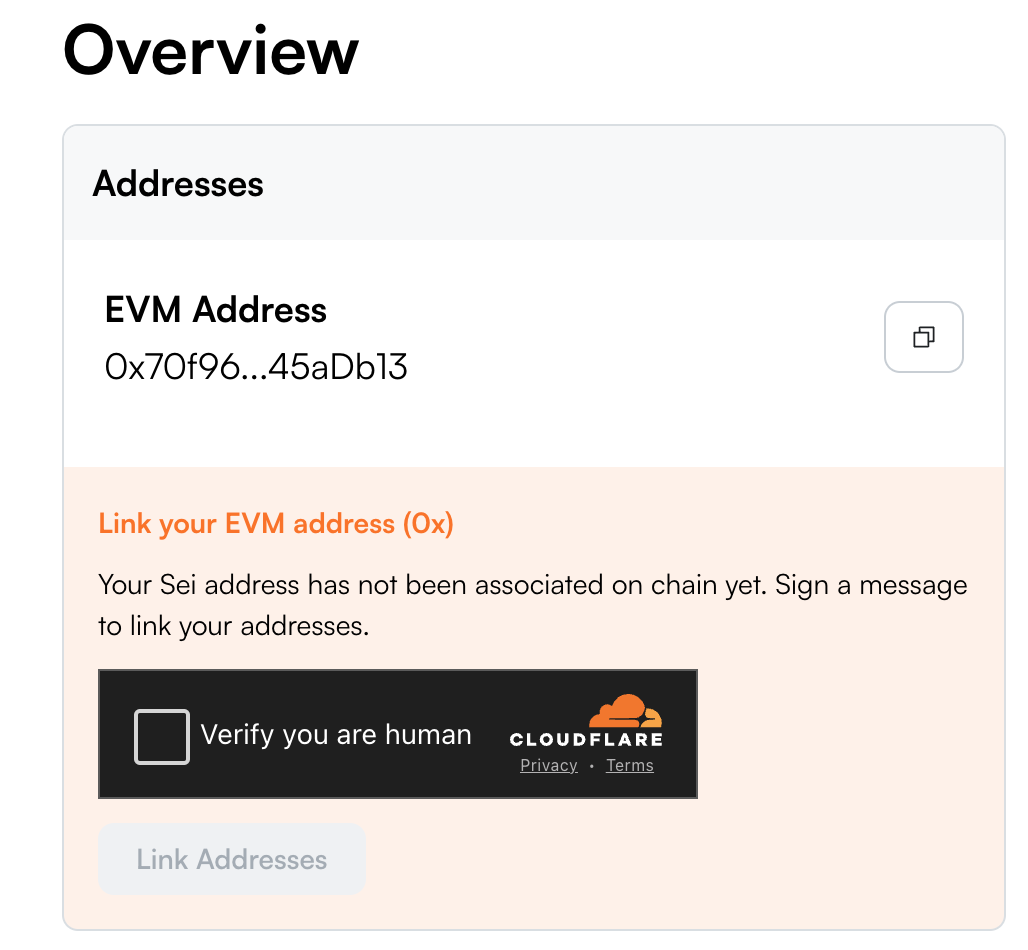
- On the Dashboard, look for the “Addresses” box.
- Complete captcha, if required.
- Click the “Link Addresses” button.
This will prompt you to sign a message with your wallet - it’s not a transaction, and will not charge you any gas fees.
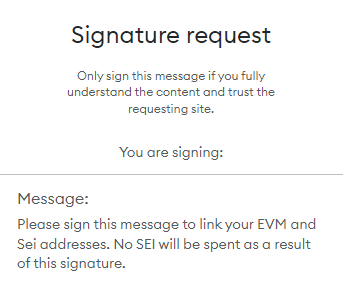
- Once you have signed that message, your accounts will be linked!

Advanced
Wallet Addresses
Every account on SHE has a unique public key. In SHE V2, this public key translates into two different types of addresses:
-
EVM Address: This address starts with
0xand is used for EVM-based activities. -
SHE Address: This address starts with
sheand is used for SHE-native activities.
Although these addresses appear different, they actually share the same underlying account. This means whatever action you take with one address will also affect the other.
If you deposit funds into your EVM address, you can access and use those same funds with your SHE address, and vice versa. They are linked together as one account, ensuring seamless integration between the EVM and SHE ecosystems.